.png)
How to Place an OrderUpdated 8 months ago
Please refer to the following steps, as we are unable to place orders on behalf of our customers:
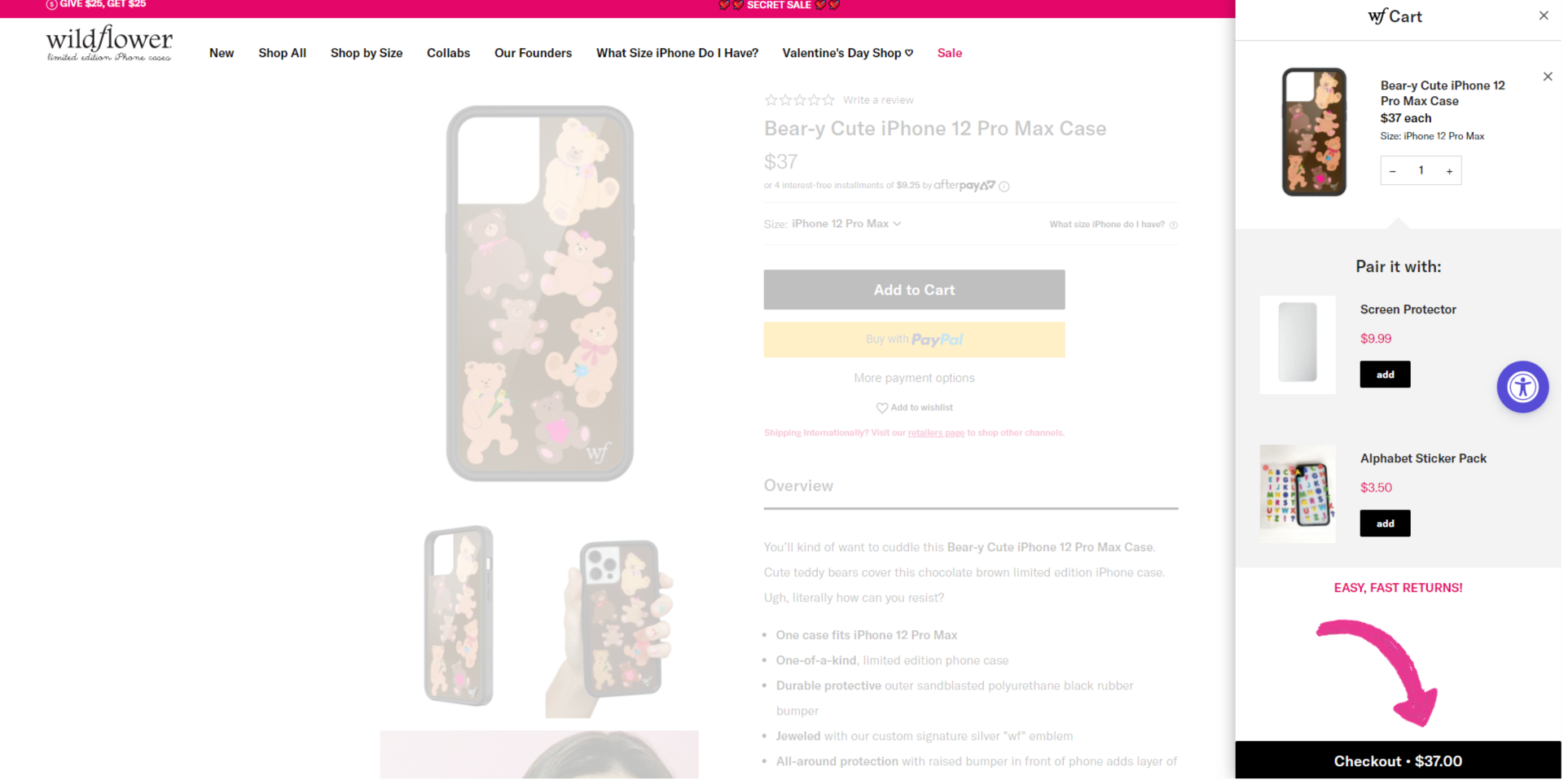
STEP 1: Checkout
When you are ready to purchase your Wildflower case(s), go to your cart and click “Checkout.”
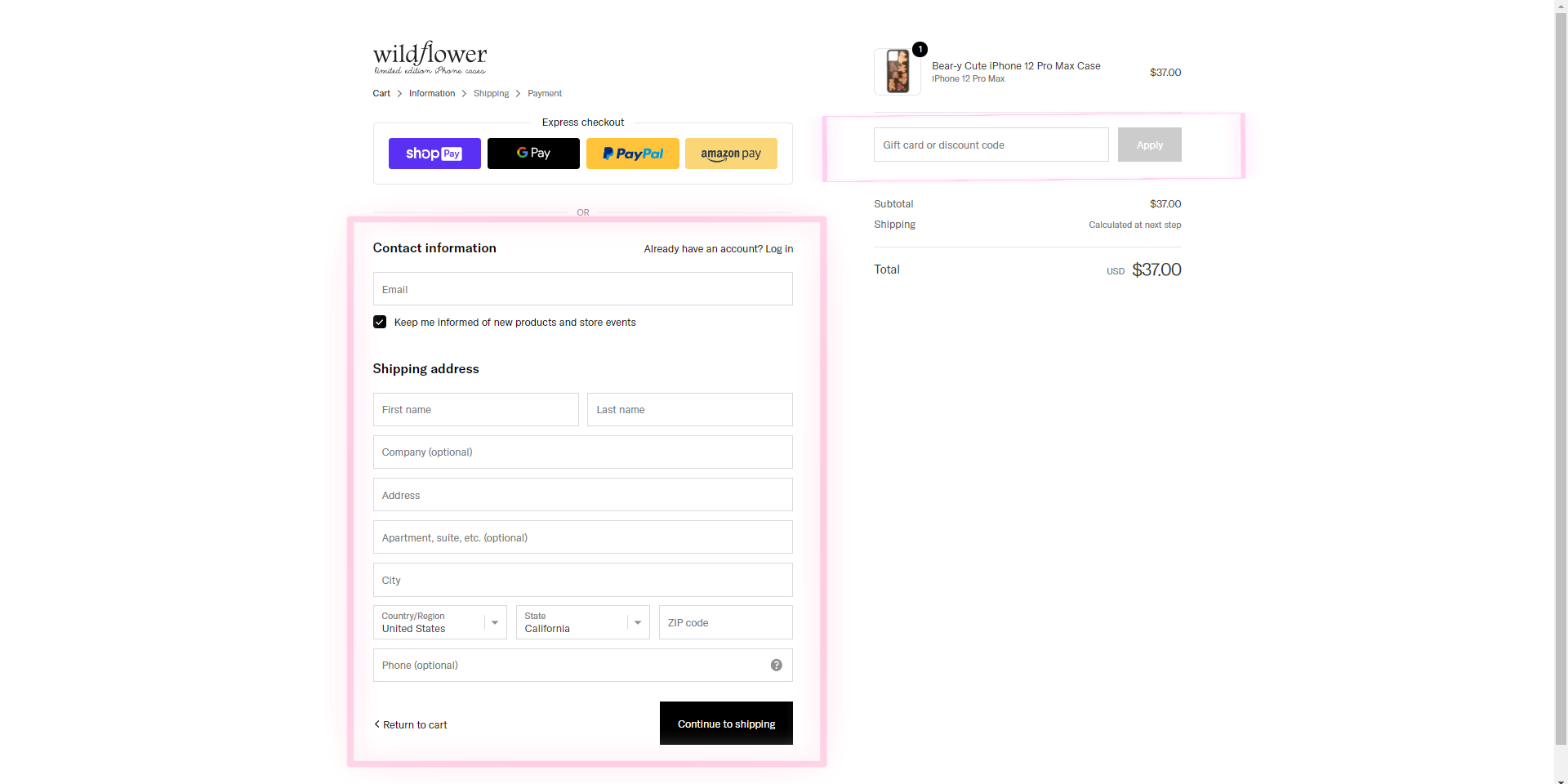
STEP 2: Enter Your Information
You will be directed to a page where you can fill out your personal and shipping information. At this stage, you may also apply a discount code, reward points, or gift card/voucher code. Please note that only one promotion can be applied at a time. Once complete, click “Continue to Shipping.”
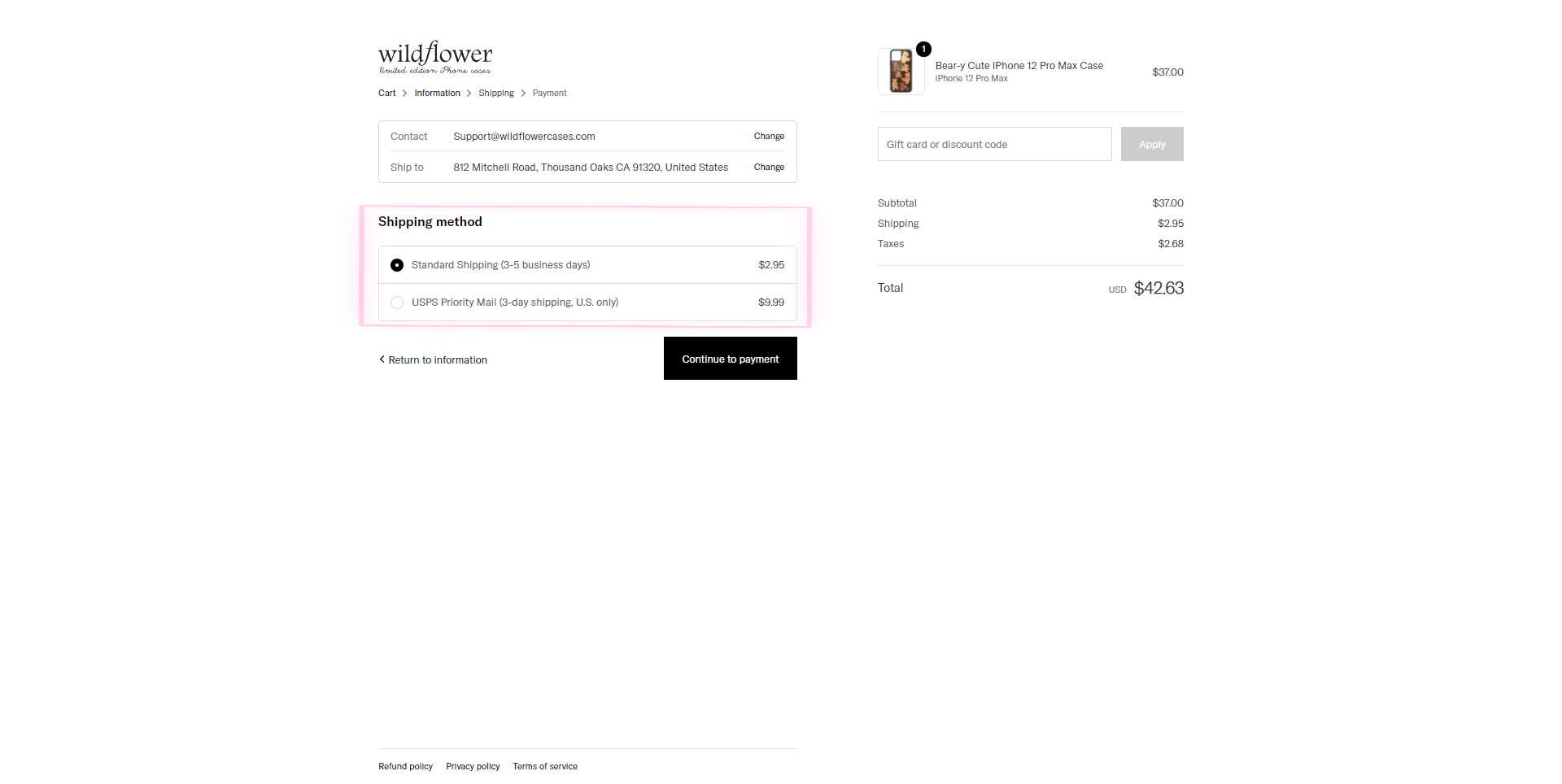
STEP 3: Select Shipping Method
On this page, choose the shipping method for your order. If you forgot to apply a discount, reward points, or a gift card/voucher on the previous page, you may do so here. Once your shipping method is selected, click “Continue to Payment.”
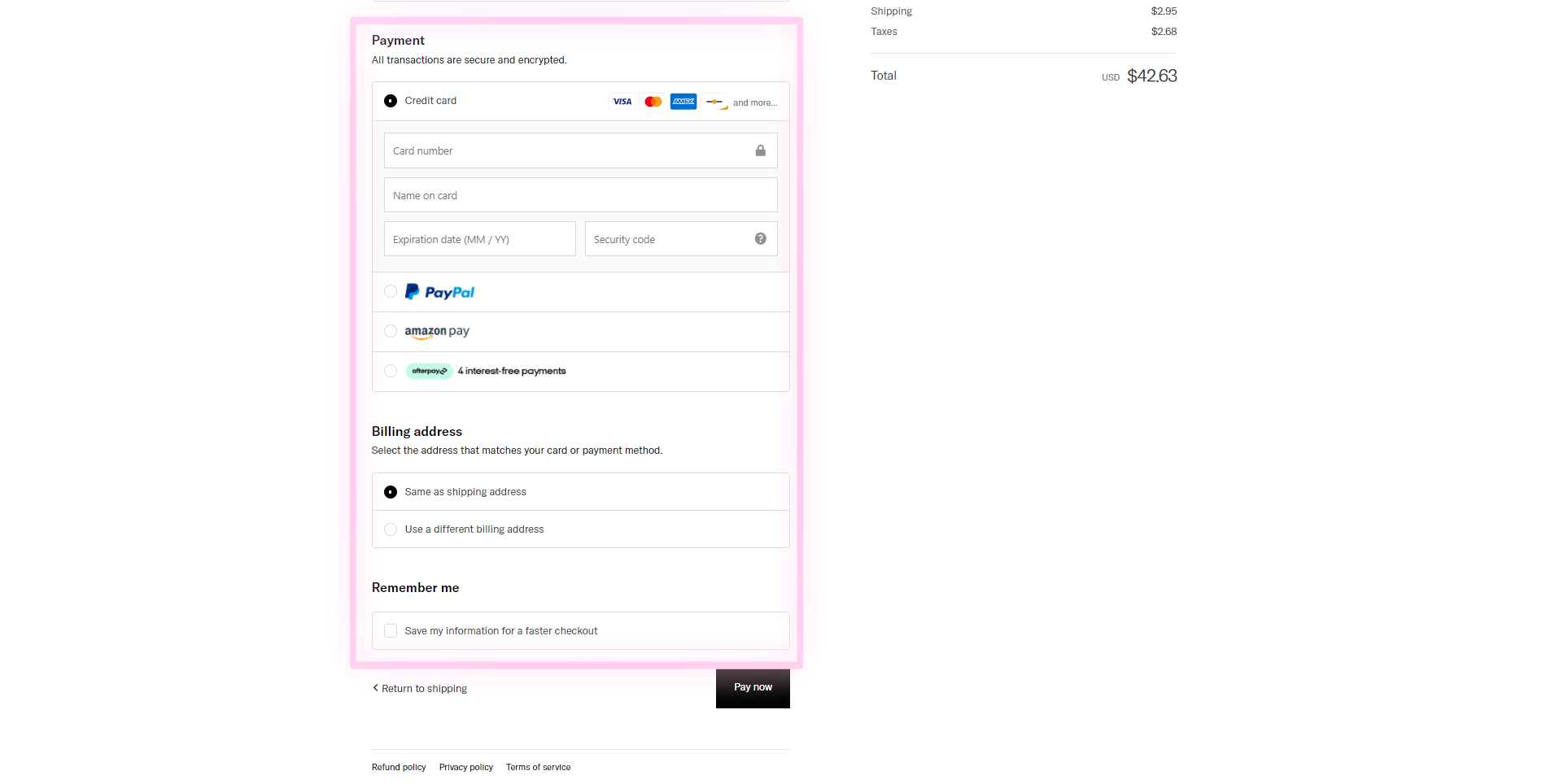
STEP 4: Payment
Enter your credit/debit card information or choose to pay via PayPal, Apple Pay, AfterPay, or Amazon Pay. Please note that we do not accept Visa/Mastercard gift cards. Once complete, click “Pay Now” to finalize your order. You will then receive your Wildflower order number.
If you have any questions or need further assistance during the checkout process, please contact us at [email protected]